Hytale Update 4 Pre-Release 3: Voice Chat, Potion Rework & More
Full patch notes for Hytale Update 4 Part 3. Proximity voice chat, how to update your Hytale server, potion overhaul, new hairstyles, and mod compatibility tips.
Hytale Update 4 Pre-Release 3 dropped on March 5, 2026, and it’s a big one. The headline feature is built-in proximity voice chat with spatial audio, but there’s also a full potion system rework, seven new hairstyles, farming changes, temple golem loot tables, and a pile of modding improvements.
Here’s everything that changed, plus what server owners need to do to get their servers updated. You can also read the official patch notes on X.
Biggest New Features
Proximity Voice Chat
This is the one everyone’s been waiting for. Hytale now has built-in spatial voice chat, no Discord required.
How it works: the closer you are to another player, the louder you hear them. Walk away and they fade out. Go underwater and voices get that muffled, distorted sound. Stand in a cave and you’ll hear reverb bouncing off the walls. Your character’s mouth even animates when you talk.
It’s disabled by default for safety reasons. Players need to opt in through Audio Settings, where you can pick your input device, adjust levels, enable noise suppression, and set a push-to-talk key.
Server owners get control too. These commands let you manage voice chat on your server:
/voice enabled- toggle voice chat on or off/voice maxdistance- set how far voices carry/voice fullvolumedistance- set the range for full volume before falloff/voice mute/unmute- mute specific players/voice status- check current voice settings
Players can use .voice (with a dot, not slash) for client-side commands.
Potion System Overhaul
Potions got a complete rework. The old system was basically “chug an instant heal and keep fighting.” Now potions use a Heal over Time (HoT) mechanic that makes combat more tactical.
Large Health Potions, for example, restore 35% of your health immediately, then another 55% kicks in after a 5-second delay. That’s 90% total, but you can’t just face-tank damage anymore. You need to actually disengage or play defensively while the second heal ticks.
Other changes to the potion system:
- Smaller potions now stack up to 10
- Large Potions take a full inventory slot (stack size of 1)
- Empty Small and Large Potion Bottles are craftable at the Alchemy Bench
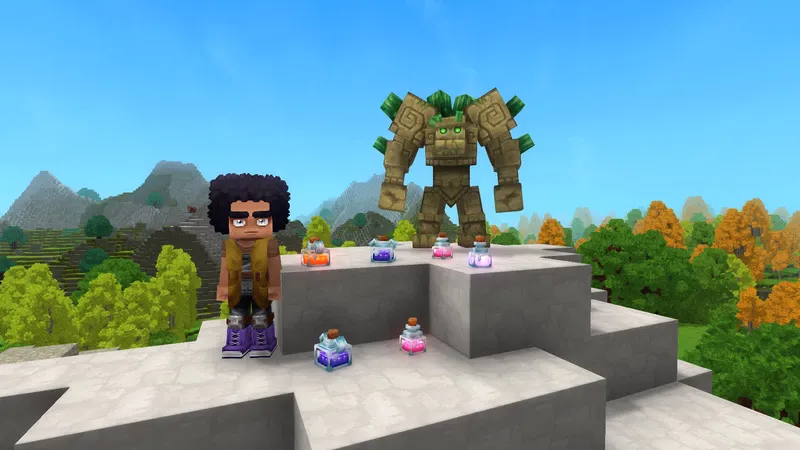
- Blue, Green, Iridescent, Pink, Purple, and Orange potions are now decorative only
- All consumable potions use a new template system with Quality levels
- Health, stamina, and energy potions rebalanced across Lesser through Large variants
Seven New Hairstyles
The character creator got some love with seven new hairstyles focused on textured hair options: Afro, Big Afro, Frizzy Buns, Long Dreadlocks, Puffy Twin Dreads, Dreads Fade, and Star Puffs. Three existing styles (Puffy Bubble Braids, Afro Puffs, Puffy Bun) were also updated.
Gameplay Changes
Farming and Alchemy
The farming progression got restructured. Tiers 9-10 were removed from the Farming Bench, and Tiers 3-5 were moved to the Alchemy Bench. Blood Leaf, Storm Sapling, and Azure Kelp seeds are now crafted at the Alchemy Bench and require the new Crystal Fertilizer to grow. These rare crops also have unique growth conditions and can be salvaged for petals.
Pink Crystal Shards are a new resource type tied to this system.
New Tools
- Copper and Iron Sickles added for harvesting (hold the input to swing continuously)
- Gold Ingots can now be converted to Gold Bricks at the Builder’s Workbench
Temple Golem Loot
Temple Golems now drop specific gemstones based on their element:
| Golem Type | Drop |
|---|---|
| Earth Crystal Golem | Emerald |
| Flame Crystal Golem | Ruby |
| Frost Crystal Golem | Sapphire |
| Sand Crystal Golem | Zephyr |
| Thunder Crystal Golem | Topaz |
World and Environment
- Fireflies spawn more frequently in Zone 1 Plains at night
- River and tile density updated across multiple biomes
- Redwood biomes now spawn in taiga portal worlds
- Zone 1 Plains weather patterns modified
- Block sound clustering added (rain hitting water sounds more natural)
- Conditional ambient sounds introduced (rain on windows, for instance)
- World generation Prop system overhauled with modular features
Quality of Life
- Interaction hints now show when you hover over things. Plants show “Pick,” doors and fences show “Open”
- Emote pages can be scrolled with the mouse wheel
- Configurable world map radius with per-world minimap override
- Server-wide minimap clamp for server owners who want to limit map exploration
- Creative Tool items are now marked as “Technical”
- New “Tools” category added for bug reports
- Various localization fixes and disconnect message improvements
Modding and Creative Tools
Some solid improvements for modders and builders:
- Asset Pack Save Browser: Choose which asset pack to save prefabs to instead of it always going to the server directory
- Prefab Editor hotkey: ALT+T warps between the Prefab Editor and your last visited world
- Anchor Tool merged into the Prefab Selector Tool (SHIFT+R)
- Paste Tool preview performance improved
- Tint blending and opacity support with tint history saving
- NodeEditor updated to Noesis 3.2.1
- New
/npc descriptorscommand - NPC templates expanded with DeathParticles, DropDeathItemsInstantly, and DeathAnimationTime
- Enabled flag added for Action elements
- Beacon action Range now computed from template variables
Bug Fixes
This patch squashed 26+ bugs across combat, world, and creative tools:
Combat and items: Fixed a crash from missing entity effects, hoe tilling priority issues, watering can block interactions, the Crude Shovel recipe, feedbag/fertilizer categorization, petal and rubble description errors, Burnt Praetorian Skeleton gravity, mount movement resets, and spawn particle problems.
World: Fixed floating torch placement, furnace processing, Salvage Bench functionality, BaseHeight positioning, and removed an unintended artificial light crop growth bonus.
Creative tools and UI: Fixed Timeline Editor and Node Editor crashes, Undo/Redo stability issues, Asset Previewer texture problems, 1x1x1 Selection Tool bugs, camera swap crashes, inverted camera behavior, map marker scaling, emote naming, and localization corrections.
How to Update Your Hytale Server
Since this is a pre-release build, you need to explicitly opt in. Here’s how.
Method 1: Using the Launcher (Simplest)
- Open your Hytale Launcher
- Go to Settings
- Change Patch Line from “release” to “pre-release”
- Let the launcher download the pre-release files
- Copy the server files from
install/pre-release/package/game/latest - Replace your existing server’s
Server/folder andAssets.zipwith the new files - Restart your server
Method 2: Using the CLI Downloader (Better for Production)
If you’re running a dedicated server without a GUI, use the official Hytale Downloader CLI:
./hytale-downloader -patchline pre-releaseOther useful commands:
./hytale-downloader -print-versionto check what version is available./hytale-downloader -check-updateto see if the CLI tool itself needs updating./hytale-downloader -download-path game.zipto save to a specific location
You’ll need Java 25 installed for the CLI to work.
Method 3: Managed Hosting
If you’re on a hosting provider like BisectHosting, Nodecraft, or Kinetic Hosting, check your panel for a version selector or pre-release toggle. Most hosts added pre-release support during Update 3.
Checking Mod Compatibility
Pre-release updates can break mods. Here’s what to do before you flip the switch.
Before Updating
-
Back up everything. Copy your entire server directory, including world saves, configs, and mod files. If something breaks, you want to be able to roll back.
-
Check your mods. Open World Settings and look at the Mod UI section. Each mod shows its version and a warning icon if it’s flagged as incompatible with the current game version.
-
Contact mod authors. Check their Discord servers or GitHub repos for pre-release compatibility updates. Popular mods usually post compatibility status within a day or two of a new pre-release drop.
After Updating
-
Start with mods disabled. Boot your server without mods first to make sure the base game runs fine on the new version.
-
Enable mods one at a time. Add them back individually and test each one. This makes it way easier to identify which mod is causing problems if something breaks.
-
Watch the server console. Look for warnings about deprecated APIs, missing assets, or version mismatches. The new NPC template changes (DeathParticles, DropDeathItemsInstantly) and the world generation Prop system overhaul are the most likely places where mods could conflict.
-
Test the potion system. If any of your mods touch potions or alchemy, they almost certainly need updates. The entire potion template system changed in this patch.
-
Test voice chat interaction. If you have mods that affect player communication or audio, verify they don’t conflict with the new proximity voice system.
Known Compatibility Risks
- Potion mods will likely need a full rewrite due to the new template system
- World generation mods should be tested against the new modular Prop system (monolithic props are deprecated)
- NPC mods need to account for the new death particle and item drop timing parameters
- UI mods that touch the emote system or interaction hints should be verified
Should You Update?
If you’re running a public server, wait for the stable release unless your community specifically wants to test pre-release features. The proximity voice chat is exciting, but pre-release builds can have rough edges.
If you’re running a private server or test environment, go for it. The potion rework alone is worth testing to see how it affects your server’s combat balance.
Either way, back up your server first. Always.
Related
- Hytale Server Commands for a full list of admin commands
- How to Join a Hytale Server if you’re a player looking to connect
- Hytale Votifier Setup Guide to configure vote rewards
- Best Hytale Servers 2026 to find active communities