
Hytale Server Commands
All Hytale server commands for players and admins. Covers teleportation, item spawning, time/weather control, and player management.
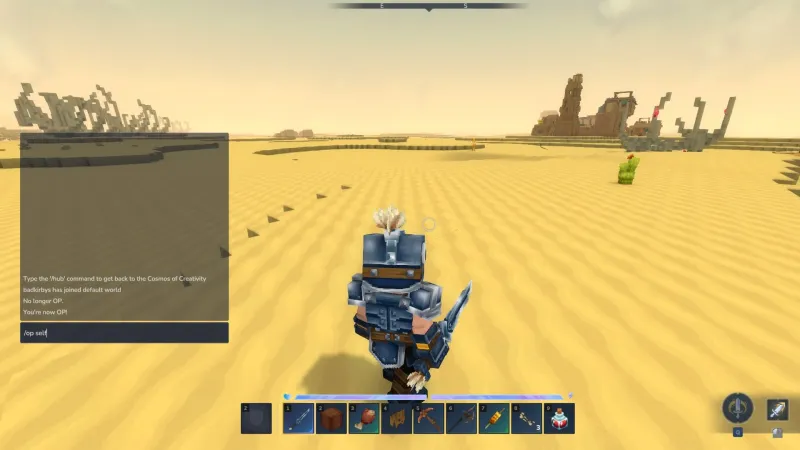
Hytale has a powerful command system that lets you teleport, spawn items, control the weather, and manage your server. Here are the commands you’ll actually use.
To use commands, press Enter to open chat, type your command starting with /, and press Enter again to execute.
Note: Hytale is in Early Access, so command syntax may change between updates. Use
/helpor add--helpto any command to see the current syntax on your server.
Getting Admin Permissions
Most commands require operator (admin) permissions. If you’re running your own server or have been given access, start by granting yourself admin rights:
/op selfYou’ll see “You are now OP!” confirming it worked. To give someone else admin permissions, use /op username.
Basic Commands
Check Who’s Online
/whoLists all players currently connected to the server. Handy for seeing who’s around before you start building or heading into PvP.
Find Your Location
/whereamiShows your current coordinates. Useful when you find something cool and want to remember where it is, or when giving directions to friends.
Return to Spawn
/spawnInstantly teleports you back to the world spawn point. The fastest way home when you’re lost or just done exploring.
Check Your Connection
/pingDisplays your network latency to the server. If you’re experiencing lag, this helps confirm whether it’s your connection or the server.
Teleportation
Teleporting is one of the most-used commands on any server.
Teleport to another player:
/tp playernameTeleport someone to you:
/tp playername yournameTeleport to coordinates:
/tp x y zServer admins often use teleportation to help stuck players, investigate reports, or quickly travel across the map.
Spawning Items
The /give command lets you spawn any item directly into a player’s inventory. You’ll need to know the item’s ID.
/give username Item_ID -quantity=1Example: To give yourself a crude sword:
/give yourname Weapon_Sword_Crude -quantity=1You can find item IDs by hovering over items in your inventory - the ID appears below the item name. Community-maintained item ID lists are also available online.
Time and Weather
Control the world environment with these commands.
Set the time of day:
/time set 12Uses a 24-hour format. Set to 0 for midnight, 6 for sunrise, 12 for noon, 18 for sunset.
Change the weather:
/weather set Zone1_ClearWeather commands use zone and condition format. Common options include Clear, Cloudy, and Rain with intensity levels like Light, Medium, and Heavy.
Player Management
Server admins need these commands to keep things running smoothly.
Kick a player (removes them from the server):
/kick usernameBan a player (permanent removal):
/ban usernameUnban a player:
/unban usernameManage the whitelist:
/whitelist add username
/whitelist remove username
Whitelisting restricts your server to approved players only - great for private communities.
Quick Reference
| Command | What it does |
|---|---|
/help | List all available commands |
/op self | Give yourself admin permissions |
/who | See who’s online |
/whereami | Show your coordinates |
/spawn | Teleport to world spawn |
/tp player | Teleport to a player |
/give player item | Spawn an item |
/time set 12 | Set time of day |
/weather set Zone1_Clear | Change weather |
/kick player | Remove player from server |
/ban player | Permanently ban player |
Tips for Server Admins
Use /help liberally. Commands change between Hytale updates, and /help commandname always shows the current syntax.
Set up warps for common locations. The /warp command lets you create named teleport points so players can easily travel to hubs, arenas, or event areas.
Know the gamemode command. Use /gamemode to switch players between Exploration and Creative modes when needed.
Ready to find a server to try these commands on? Browse the server list to find an active community.