Hytale Modding Tools: Complete Creator's Guide 2026
Everything you need to create Hytale mods. Asset Editor, Node Editor, Blockbench, Java plugins, learning resources, and what's on the modding roadmap.
Want to create Hytale mods? You’ve got options. Build with visual tools (no coding), write Java plugins for full control, or mix both. Two weeks after launch, over 2,000 mods already exist on CurseForge, and the tools are surprisingly accessible.
Below: every tool available right now, learning resources that actually help, and what’s coming on the modding roadmap.
Just want to install mods? Check out How to Install Hytale Mods.
Quick Reference
| Tool | What It Does | Coding? |
|---|---|---|
| Asset Editor | Edit recipes, loot, stats, spawns | No |
| Node Editor | Visual editor for world gen, NPC behavior, game logic | No |
| Blockbench | 3D models for creatures, items, blocks | No |
| Java Plugins | Full server-side control via API | Yes (Java 25) |
Hytale Modding Tools
Asset Editor (No Code)
Hytale’s built-in tool for editing data assets. These are JSON-based files that define game behavior: recipes, loot tables, entity stats, spawn rules. You can tweak existing game data or create entirely new content without writing code.
What you can do:
- Create custom recipes
- Modify drop rates and loot tables
- Change entity stats (health, damage, speed)
- Adjust spawn rules for mobs
- Define custom game behaviors
The Asset Editor gives you a visual interface for editing these JSON files. No need to write syntax manually or worry about formatting errors.
Node Editor (No Code)
The big one for non-coders. Connect visual nodes to define world generation rules, NPC behavior, and game logic. No programming required.
Every biome in Orbis will eventually be shared with the community so you can crack them open, study how they work, and remix them. Changes appear in-game instantly thanks to live reloading.
What you can do:
- Design custom biomes and terrain
- Create procedural structures
- Program NPC behaviors visually
- Build game logic without code
- Chain events and conditions
If you’ve used Unreal Engine’s Blueprints or Unity’s Visual Scripting, it’s similar. Connect nodes, define rules, see results immediately.
For more on world generation specifically, check the Hytale World Gen V2 guide.
Blockbench (No Code)
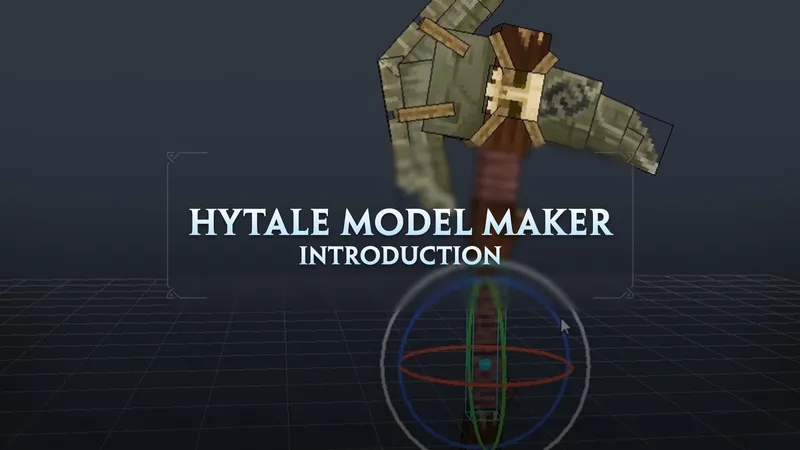
Free, open-source 3D model editor. Already popular from the Minecraft modding scene. Use it to create custom models for creatures, items, blocks, and props.
What you can do:
- Model custom creatures
- Design new items and weapons
- Build decorative blocks
- Create animated models
- Export directly to Hytale format
Hypixel officially recommends Blockbench alongside the Hytale Blockbench plugin. Download it at blockbench.net.
Java Plugins (Code Required)
For full control, write plugins in Java 25. Plugins run on the server and interact with the game through Hytale’s API.
What you can do:
- Create economy systems
- Build minigame logic
- Design admin tools
- Modify core game mechanics
- Integrate external services
If you’ve built Bukkit, Spigot, or Paper plugins for Minecraft, you’ll feel at home. IntelliJ IDEA (Community edition works) is the recommended IDE.
Getting started:
- Install Java Development Kit (JDK) 25
- Download IntelliJ IDEA Community Edition
- Set up a Hytale plugin project
- Use Hytale’s API to interact with the game
- Test on a local server
Learning Resources
HytaleModding.dev - Best community docs and guides. Covers Packs, plugins, and the Node Editor with practical examples.
Britakee’s GitBook - Personally tested tutorials from Pack creation to advanced plugins. Step-by-step with screenshots.
CurseForge modding guides - Official walkthroughs for uploading and managing mods on CurseForge.
Kaupenjoe’s YouTube playlist - Video series covering Packs and plugins. Good if you prefer video tutorials over written docs.
Video: Your First Hytale Mod
Here’s Britakee’s beginner walkthrough on creating your first Pack and custom item using the Asset Editor:
This video walks through setting up your first Pack, using the Asset Editor, and creating a custom item from scratch. Takes about 15 minutes.
What’s on the Modding Roadmap
Hypixel Studios laid out their modding plans in the official modding strategy post. Here’s what’s confirmed:
| Feature | Timeline | What It Means |
|---|---|---|
| Server source code release | ~Feb/March 2026 | Full access to game internals. Deeper mods become possible. |
| Visual scripting | In development | Create game logic, quests, and behaviors without writing Java. |
| NoesisGUI consolidation | In progress | Three UI frameworks merging into one. UI modding gets cleaner. |
| Development bounties | Planned | Hypixel will pay modders to build features and fixes. |
| 15+ world designer hires | Hiring now | Community members building content with the Node Editor. |
Server Source Code Release
Technical Director Kevin Carstens (Slikey) confirmed the source code timeline. Once it drops, modders get complete access to the server’s internals, which should unlock a wave of deeper mods.
In the meantime, the server isn’t obfuscated, so it can be decompiled for reference. But official source code with comments and documentation will make everything easier.
Visual Scripting System
Inspired by Unreal Engine’s Blueprints. Think of it as what the Node Editor does for world generation, but for everything else: game logic, quests, NPC behaviors, custom mechanics. No Java required.
This is in active development and should significantly lower the barrier to entry for complex mods.
Development Bounties
Hypixel plans to pay modders to build specific features and fixes. Details aren’t finalized yet, but it’s part of their strategy to support the modding community financially.
World Designer Hiring
They’re hiring 15+ community members to work with the Node Editor and build official content. If you’re good with world generation and procedural design, this might be an opportunity.
Mod Distribution
Once you’ve created a mod, upload it to CurseForge. It’s the official platform partnered with Hypixel Studios.
Upload process:
- Package your mod as a
.zipfile - Create a CurseForge account
- Click “Create a Project” and select Hytale
- Fill out mod description, categories, and tags
- Upload your
.zipfile - Publish
CurseForge handles hosting, downloads, and mod updates automatically. Players can then find your mod through search or browse by category.
Tips for New Modders
Start small. Your first mod doesn’t need to be a full game overhaul. Create a custom item, tweak a recipe, or design a single structure. Get comfortable with the tools before attempting complex systems.
Use existing mods as references. Most mods on CurseForge can be opened and examined. Look at how other modders solved problems similar to yours.
Test frequently. Hytale supports live reloading for many mod types, so you can see changes without restarting the game. Use this to iterate quickly.
Join the community. HytaleModding.dev has a Discord where you can ask questions, share progress, and get feedback. The Hytale modding community is still small, which means you’re more likely to get direct help.
Document your code. Even if you’re the only one who’ll ever read it, comments save time when you return to a project weeks later.
FAQ
Do I need to know Java to make mods?
Not necessarily. Packs (data and art assets) don’t require any coding. The Asset Editor and Node Editor are both visual tools. Only plugins require Java (specifically Java 25).
Can I make money from Hytale mods?
Not directly. CurseForge doesn’t support paid mods for Hytale. Some creators accept donations via Patreon or Ko-fi, but most mods are free. The upcoming development bounties from Hypixel might change this.
What’s the difference between a Pack and a Plugin?
Packs bundle data and art assets (recipes, models, textures, configs). Plugins are Java code that runs on the server and can change game logic. Packs are easier but limited. Plugins are harder but powerful.
Can I mod the client side?
No. Hytale modding is server-side only. There’s no support for client mods like shaders, UI tweaks, or resource packs. Everything runs on the server and syncs to players automatically.
How do I update my mod after publishing?
Upload a new version to CurseForge. The platform handles versioning automatically. Players using the CurseForge app will get update notifications.
What Java version do I need?
Java 25. Hytale plugins require Java 25 specifically. Make sure you have the JDK (Java Development Kit), not just the JRE (Java Runtime Environment).
Ready to install mods instead of creating them? Check out How to Install Hytale Mods. Or browse finished mods on CurseForge.